CULINARY & NUTRITION GUIDE
How to Use a Digital Kitchen Food Scale for Baking & Weight Loss (Raw vs. Cooked)
Practical guide to using the Tare/Zero button on a digital food scale, measuring grams vs. ounces, and weighing meat and rice raw vs. cooked.
1. How to read and tare a digital kitchen scale step by step
Place your digital food scale on a flat, hard counter, turn it on, and place your empty mixing bowl or dinner plate on the platform. Press the Tare (or Zero) button so the display resets to 0 g. Add your first ingredient until you reach the target gram weight, then press Tare again to add the next ingredient directly into the same bowl.
For negative tare (reverse weighing) with messy ingredients like peanut butter, honey, or yogurt, place the entire jar on the scale, press Tare to zero it out, and scoop out your portion—a reading of −16g means you scooped exactly 1 tablespoon (16g) of peanut butter.
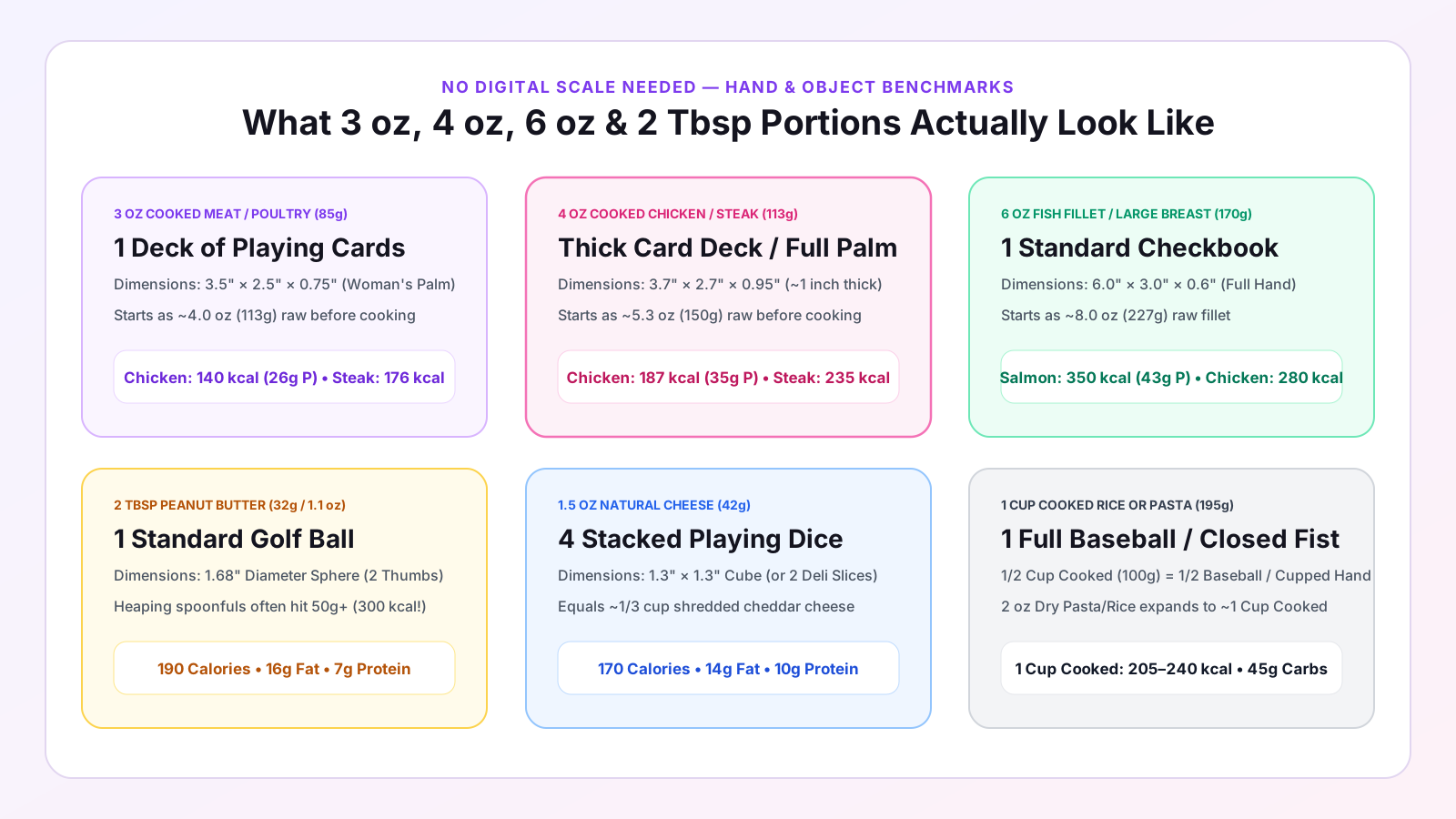
2. Do you weigh rice and meat before or after cooking?
Whenever possible, weigh dry grains (rice, pasta, oats) and raw proteins before cooking. If you weigh food after cooking for meal prep, match your nutrition tracker entry to the cooked state: 4 oz (113g) raw meat yields ~3 oz (85g) cooked, and 1 cup (185g) dry rice yields ~3 cups (~525g) cooked.